 View Dex in AR on your desk →
Every chat on every Mac, in one list.
Open Dex and you see all your agent chats, sorted by Mac and project. At the top: the ones that need you. Below: what is working, what is done, what you pinned.
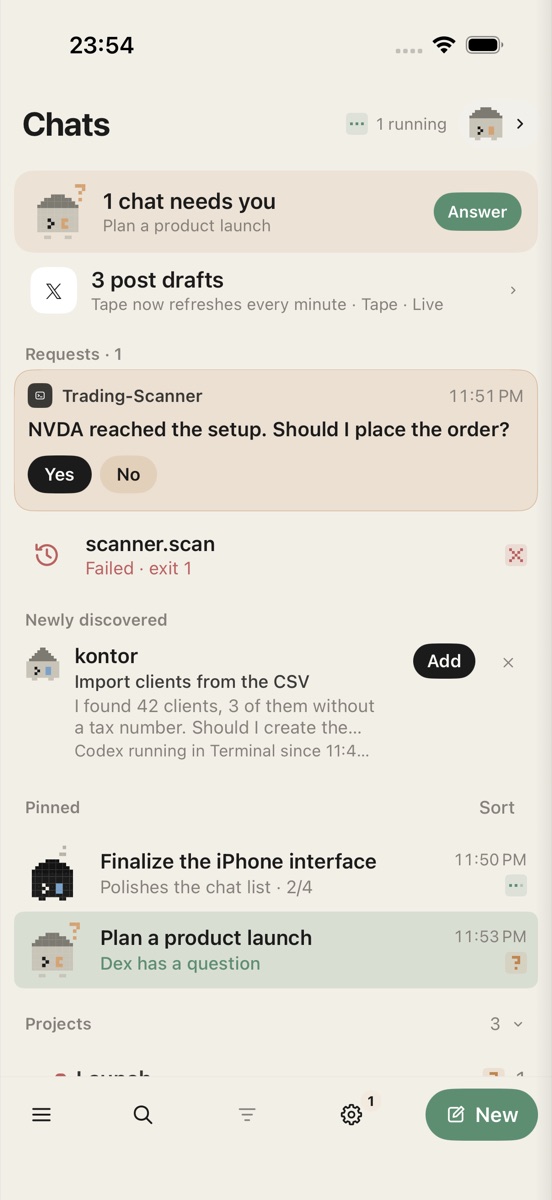
An agent has a question. Your phone tells you.
The question arrives as a notification and as a card. Tap the answer, right in the list, the chat or the notification itself. The card folds into a receipt and the agent carries on.
More than yes or no.
When the agent offers options, pick one or several and send them together. No typing on a small keyboard, no switching to a terminal.
Risky commands don't slip through.
Deleting files, git reset --hard, push --force: Dex marks them red and only lets them through with a long press. In Git projects it sets a restore point first, so one wrong tap is never the end of your work.
May I run this command?
git push --force origin main
⚠ Rewrites history on the remote. Restore point set.
Talk to it while it works.
Add a thought, correct a direction or drop in a screenshot while the agent is busy. Your message reaches it right away. Or dictate: Dex keeps it as a draft you can edit before it goes out.
Start new work from anywhere.
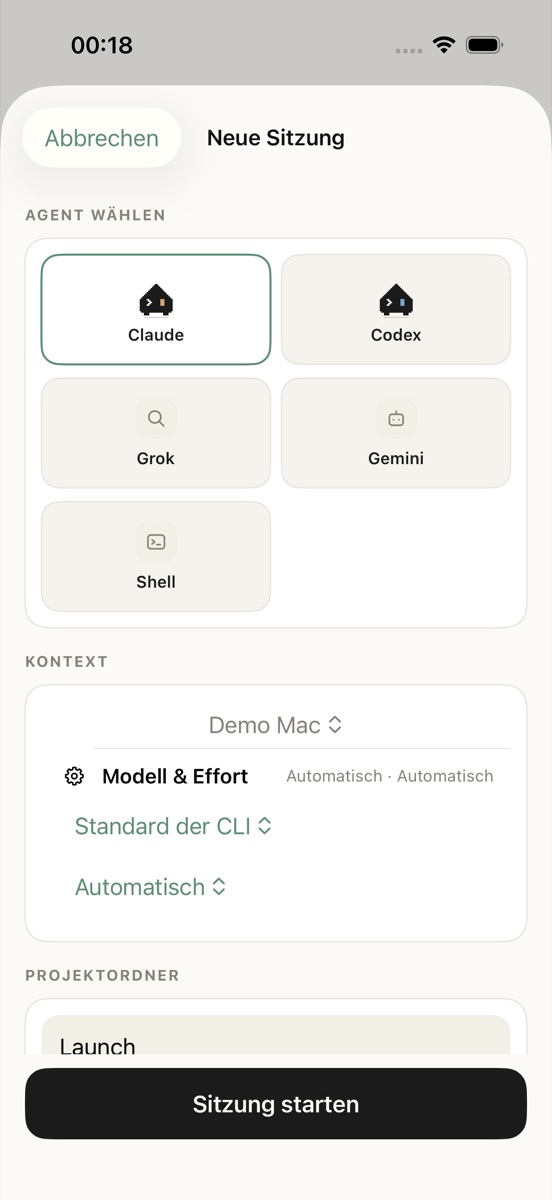
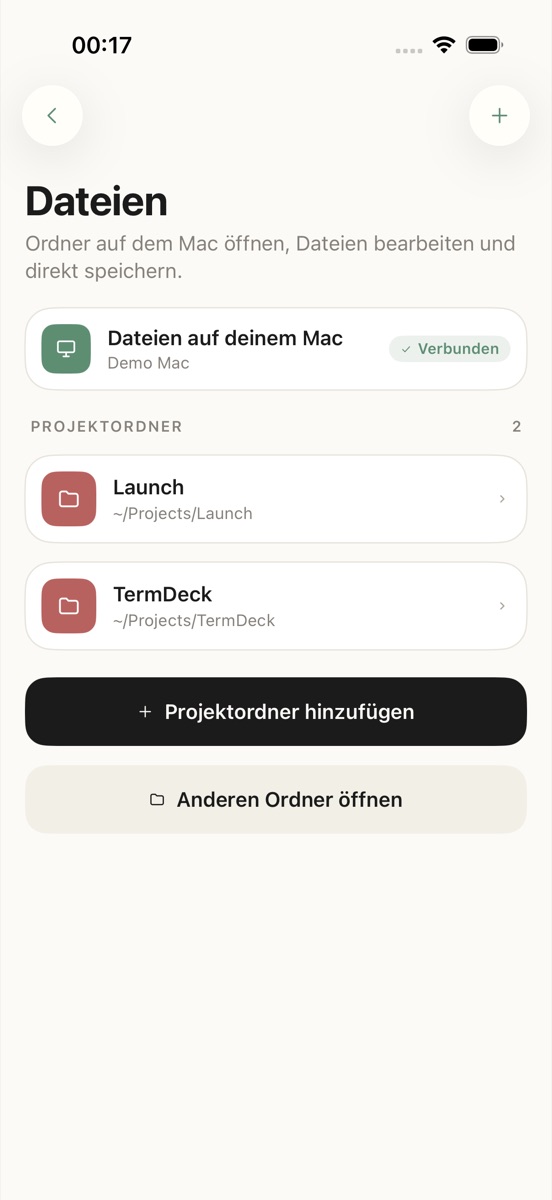
Open a new chat on any of your Macs and pick who should do it: Claude, Codex, Grok, Gemini or a plain shell. Browse the project's files on the Mac, and let one chat hand a message to another.
Bots that keep working while you sleep.
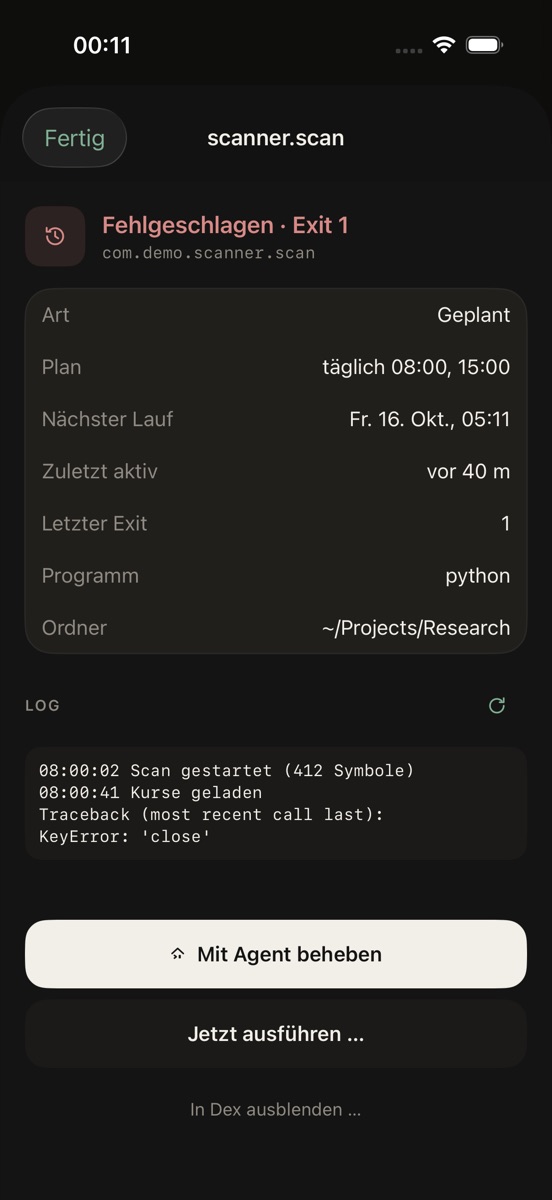
Give recurring jobs to bots with a goal and a schedule. You see their progress, and when a job fails you get the log and one button: fix it with an agent.

All your Macs as one little town.
In Dexville every project is a district and every agent a house. Tap a house to open its chat, see its bots, and watch the town turn from day to night. Pair another Mac with one code and it moves in.
One glance at your Lock Screen.
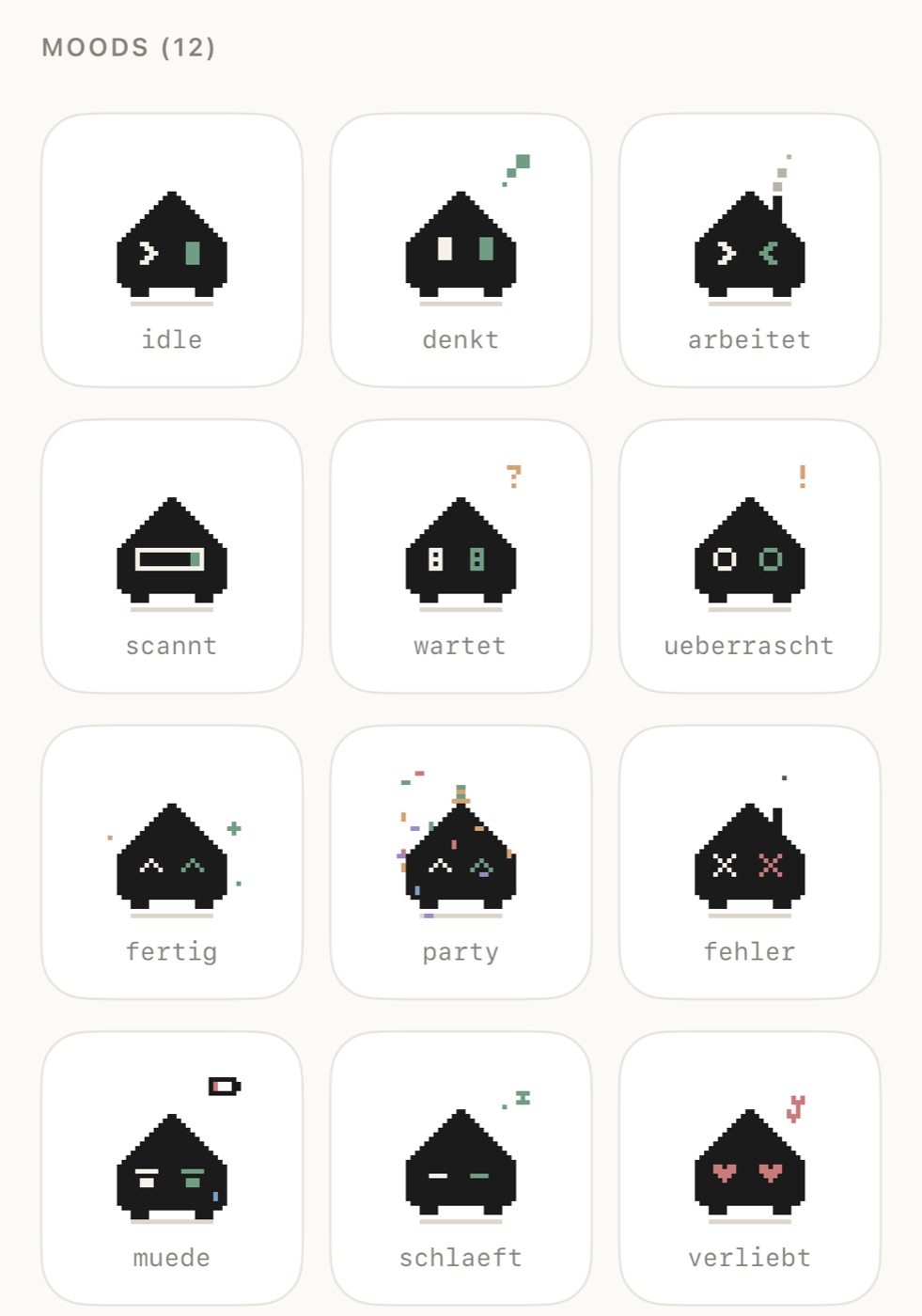
Dex lives on your Lock Screen and in the Dynamic Island. He works when your agents work, sweats over risky approvals, throws a party when a job is done, and sleeps at night. You know how things stand without opening anything.